Skip to content
Kapi - Documentation
  • Pages
    • Start here / Commencer ici
      • English - Doc
        • Intro to Kapi
        • Kapi Settings
          • Company Account Settings
            • icon picker
              Financial information
              • Kapi Pay
            • Your colors
            • Logo & Favicon
          • Creation of your sales catalog
        • Kapi's modules
          • Addresses
          • Bundles
          • Contacts
          • Custom Fields
          • Deals
          • Items Modifiers
          • Items
          • Leads
          • Payment plans
          • Projects
          • Regions
          • Service apointments
          • Transactions
          • Users
        • User flows
          • Login / Reset password
          • Navigation on Kapi
          • Invite your colleagues
          • Manage my personal account
          • Booking Services
            • Flexible Booking
            • Fixed booking
          • Using an external CRM
      • Français - Doc
        • Les parcours utilisateur
          • Connexion / Réinitialiser le mot de passe
          • Navigation sur Kapi
          • Création de votre catalogue de vente
          • Gérer mon compte personnel
        • Les modules de Kapi
          • Prospects
        • Paramètre de Kapi
          • Informations financières
          • Your colors
          • Logo & Favicon

Financial information

Financial information
CPT2210071152-1504x782.gif
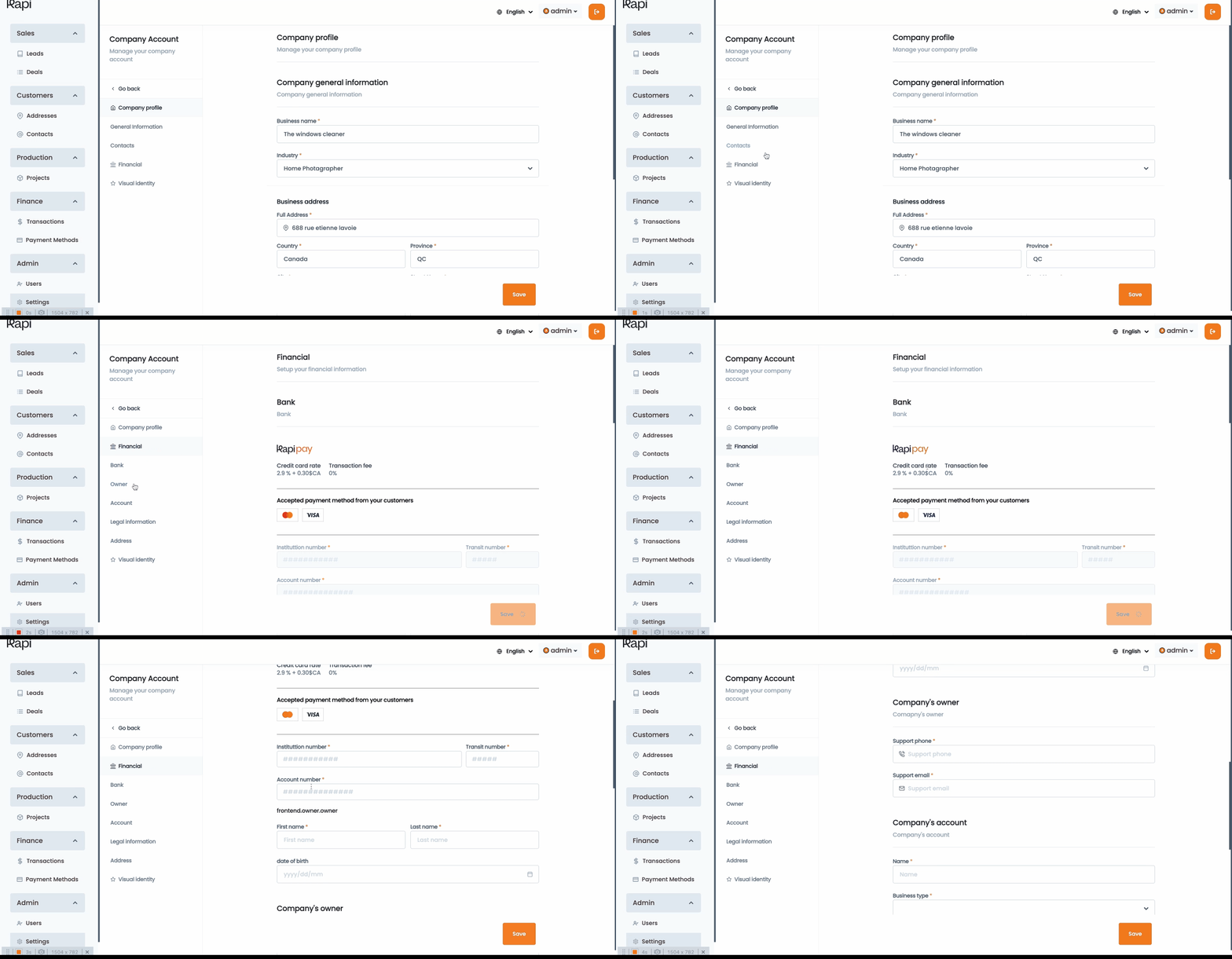
Using Kapi pay you’ll be able to set up your business’s bank account, which will be used to redirect all funds collected by Kapi when a transaction is processed online( Credit card processing).

Payment options

After you click on the financial submenu, you’ll see the option to turn off or on the payment options for your customers.
Offline Payment methods: this option enables your customer or salesman to process a new deal and indicate that they payment was done outside of Kapi and the money was received by cash, interact, check or an direct transfer.
Online Payment enabled: this will allow you to process online transaction via Kapi and your customers will be able to you their credit card to pay for their services.
image.png
In order to enable the Online Payment methods, you need to complete the following information.


Want to print your doc?
This is not the way.
Try clicking the ··· in the right corner or using a keyboard shortcut (
CtrlP
) instead.